



Overview
Kylas dialer app lets your sync your mobile call logs easily with Kylas CRM. This means that whenever you make a call to a lead or contact from your mobile phone, you can sync the details with your CRM and keep track of all the calls made.
- Open your Android device and Visit https://play.google.com/store/apps/details?id=io.kylas.dialer&hl=en or scan below QR code to download the Kylas dialer application.
2. Install the 'Kylas Dialer' application.
3. Launch the app after installation
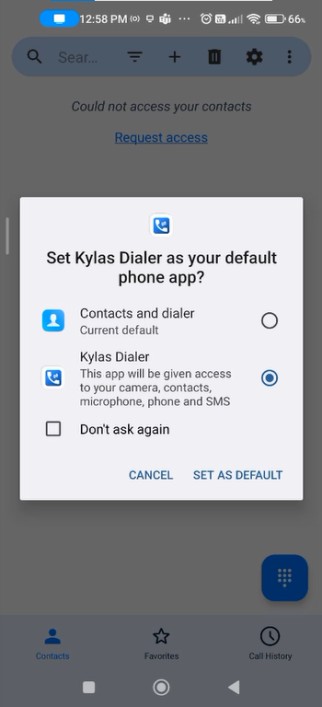
4. Please click 'cancel' when you see the below pop up or if you wish you can Set the application as default phone app for calling.
5. Allow permissions when prompted e.g. for reading the call logs, making and receiving calls and reading files access and so on.
6. Sign in to your Kylas account
-
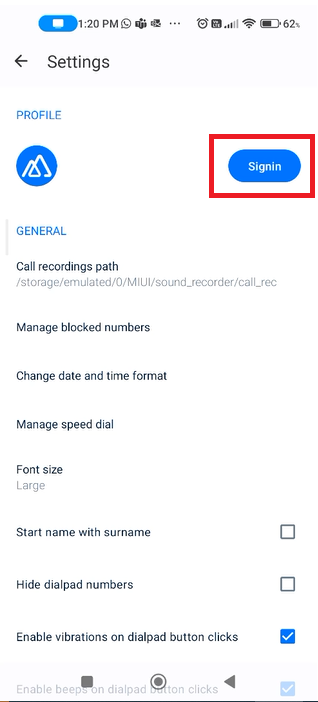
- Tap on the 'Sign-in' button on the below pop up
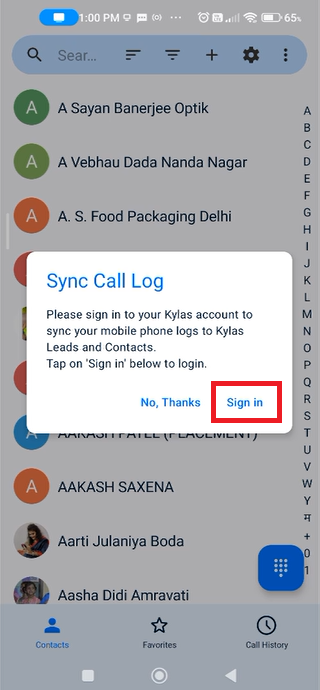
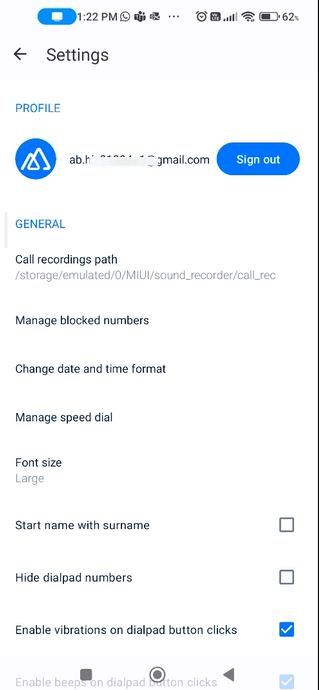
2. Enter your Kylas account credentials and sign in
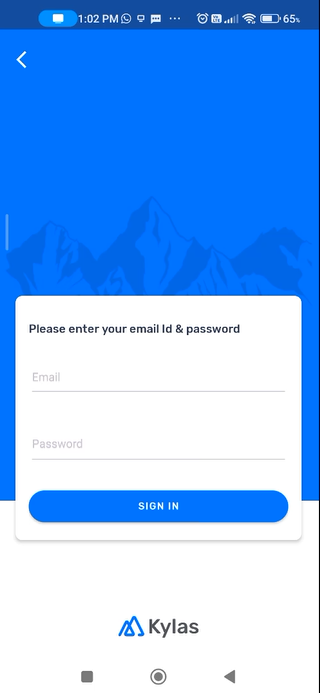
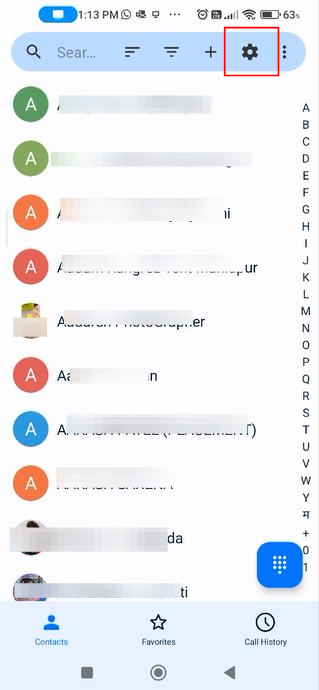
3. Or you may sign in later after clicking the settings icon later.
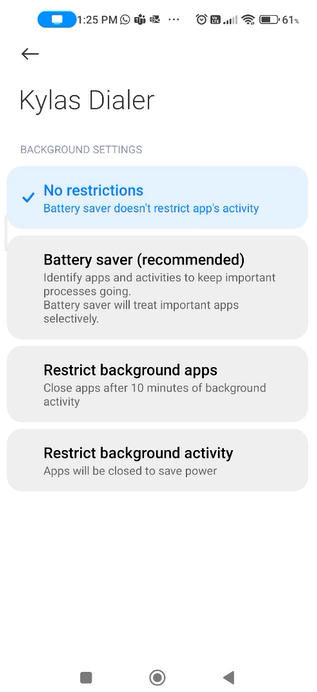
7. Allow the app to run in background and set no restrictions from the battery saver settings for flawless call logging even in the background.
8. View the kylas Lead or Contact Name in a pop up when there is an ongoing call to get more context on the Lead or Contact
-
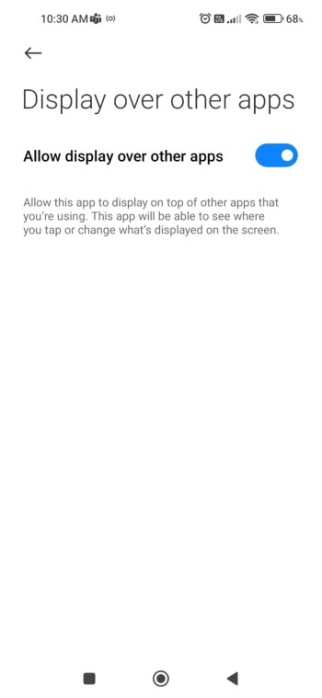
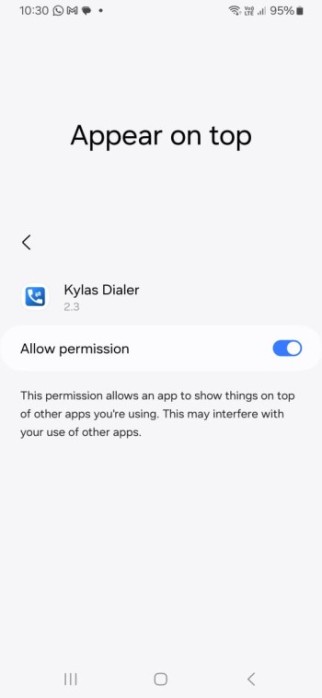
- Enable 'Display over other apps' or 'Show on top' permission for Kylas dialer to view the pop up
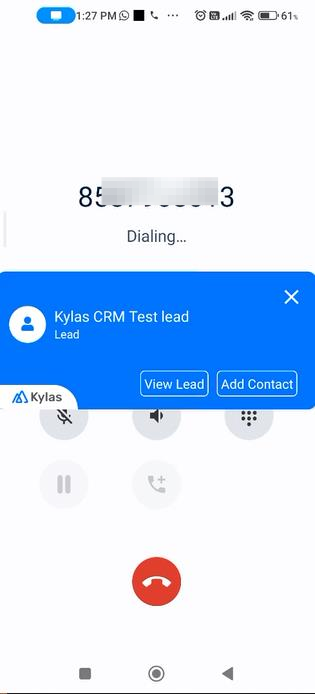
2. Click 'View Lead' to view the Lead in Kylas Sales CRM core application.
3. Click 'Add Contact/ Add Lead' to create a Lead or Contact in Kylas when there is no existing Lead or Contact exists in Kylas with the number.
Please note: in some of the devices you might need to enable additional permissions in order to view the pop up such as
-
- Display pop up window
- Go to app info -> Other permissions
- Turn on the below permissions
- Display pop up window
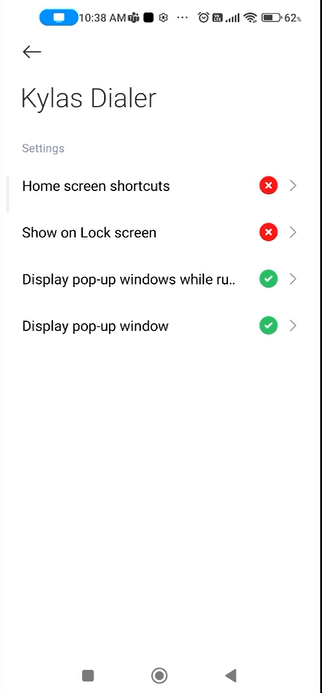
2. Background auto start:
-
- Go to your device settings -> Apps -> Permissions -> Background autostart
- Enable this permission for Kylas dialer app
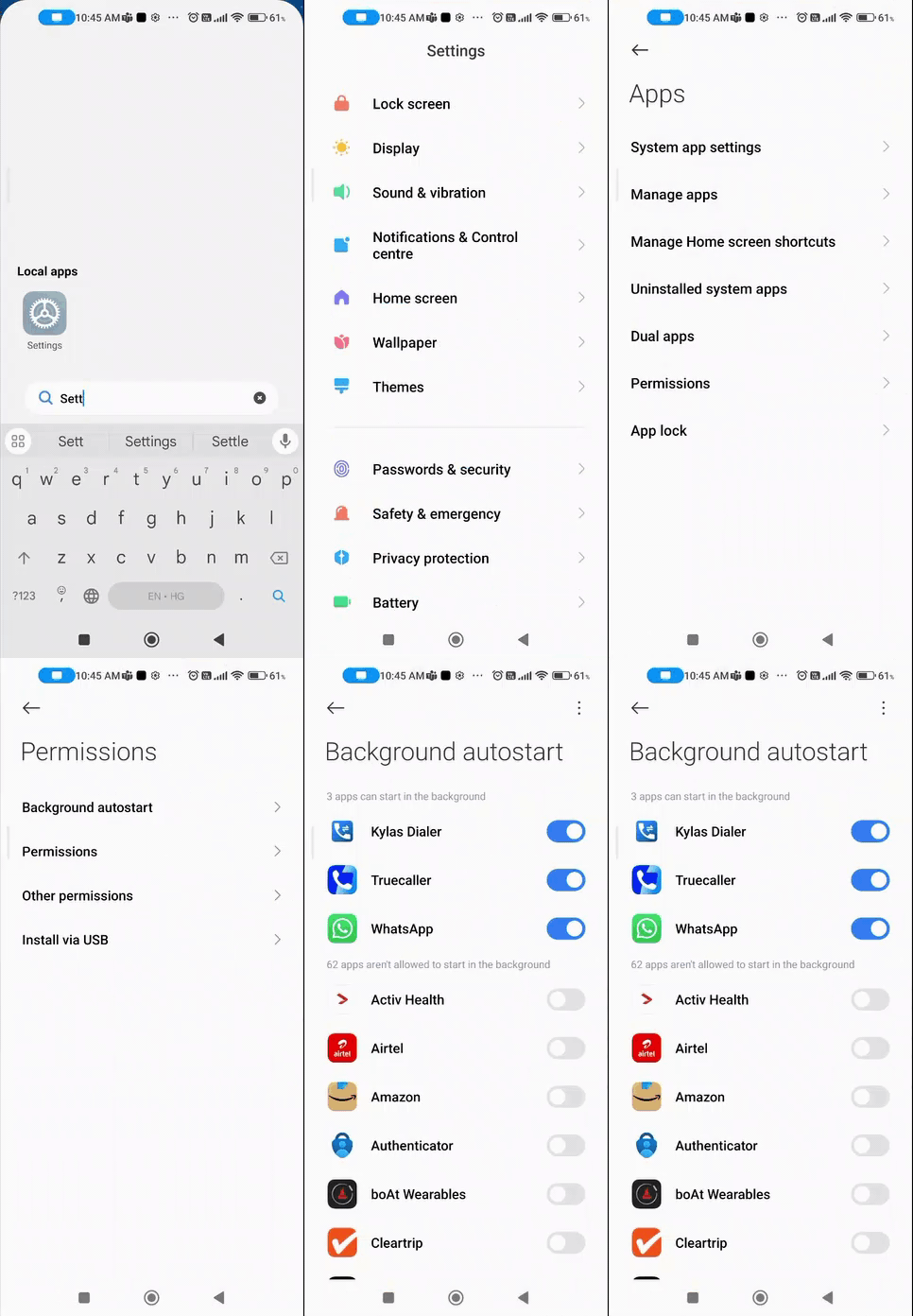
9. View the sync status of call logs:
-
- Click on the 'Call history'
- View the sync status with date and time

10. Set call recording path: Kylas dialer can also fetch call recording from your device (this feature works best on Samsung and Xiaomi devices, other devices may face issues for this feature).
- Open the Kylas dialer application.
- Tap 'Settings'
- Tap on the 'set recording path'
- Choose the folder of your phone where the recordings are stored (this works only on the devices which have in built recording feature)
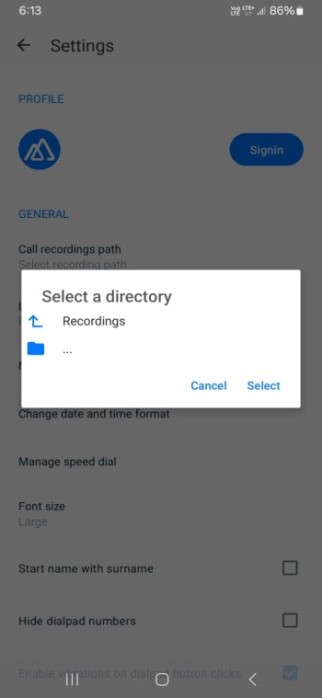
5. Tap 'Select' to choose the folder.
6. After selecting the folder, Kylas caller will start fetching call recording after each call you make and it will sync the call logs with recording to Kylas for the calls made to any Lead or Contact of Kylas.