


Sales teams spend a surprising amount of time on tasks that do not directly involve selling. Assigning leads, updating deal stages, sending follow-ups, creating tasks, and keeping records current can quickly consume hours that could be spent speaking with prospects.
According to Salesforce’s 2026 Stat Library, the average seller spends just 40% of their time actually selling. The remaining time can quickly get absorbed by assigning leads, updating deal stages, sending follow-ups, creating tasks, and keeping records current.
CRM workflows become valuable here. By automating repetitive actions based on predefined rules and triggers, sales teams can create a more consistent process while reducing manual work. From lead management to post-sale follow-ups, the right CRM and sales automation workflows help teams respond faster and keep opportunities moving.
What Are CRM Workflows?
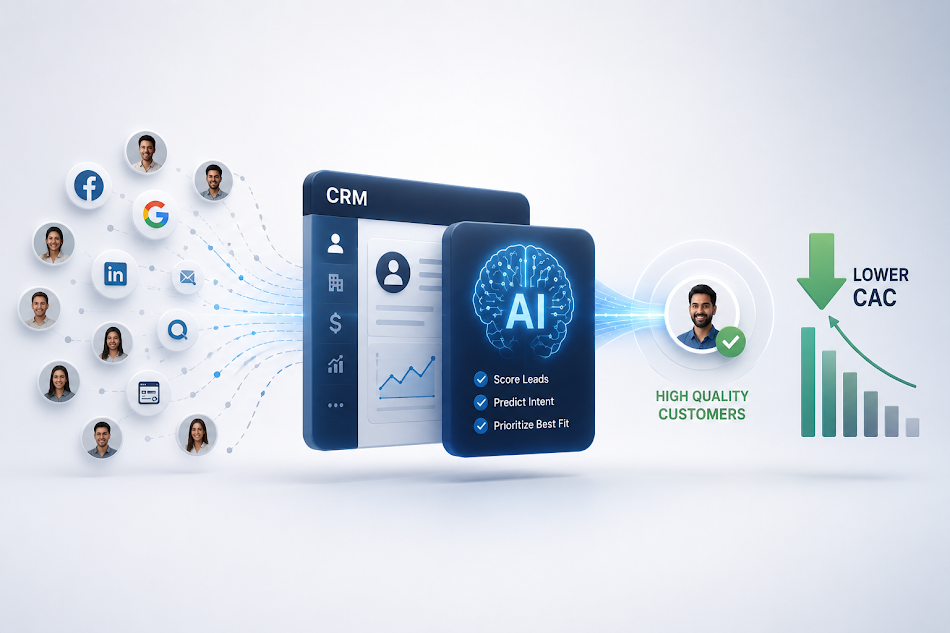
CRM workflows are automated sequences that trigger specific actions when predefined conditions are met. For example, when a new lead enters the CRM, a workflow can automatically assign it to a salesperson, create a follow-up task, and send an acknowledgement message.
Instead of relying on salespeople to remember every administrative step, a CRM with workflow automation handles routine actions based on rules set by the business.
A well-designed CRM sales workflow should reflect how the sales team actually operates. The goal is not to automate every possible activity, but to remove repetitive tasks that slow down customer-facing work.
Why Should Sales Teams Automate CRM Workflows?
Manual processes create inconsistency. A lead may not be assigned quickly, a follow-up may be forgotten, or a deal may remain stuck in the wrong pipeline stage.
With CRM and workflow management, teams can standardise these activities and create predictable processes. Automation can help sales teams:
- Respond to new leads faster
- Reduce repetitive administrative work
- Maintain cleaner CRM records
- Create consistent follow-up processes
- Reduce missed tasks and opportunities
- Give managers better visibility into sales activity
The result is a sales process where routine actions happen automatically while salespeople focus on conversations, qualification, negotiation, and closing.
Common CRM Workflows Every Sales Team Should Build
Lead Assignment Workflow
When a new lead enters the CRM, automatically assign it to the appropriate salesperson based on factors such as location, source, product, territory, or lead type.
This eliminates manual distribution and helps ensure that new enquiries reach the right person without unnecessary delays.
New Lead Follow-Up Workflow
A new lead should trigger a clear follow-up sequence. A CRM workflow can create tasks, send notifications, and schedule reminders when a salesperson needs to contact a prospect.
If there is no response, the workflow can trigger another follow-up after a predefined period, helping teams maintain consistency without relying entirely on memory.
Lead Nurturing Workflow
Not every prospect is ready to buy immediately. A lead nurturing workflow can trigger emails, tasks, or reminders based on a prospect’s engagement and stage.
For example, prospects who are not yet sales-ready can enter a structured nurturing sequence while high-intent leads are routed directly to sales.
Deal Stage Workflow
Sales managers need accurate pipeline information to understand where opportunities stand. A CRM with workflow automation can trigger actions when a deal moves from one stage to another.
Moving an opportunity to a proposal stage, for instance, could automatically create a follow-up task or notify the relevant manager. This keeps the sales process moving without requiring additional administrative updates.
Follow-Up Reminder Workflow
Missed follow-ups can directly affect conversion. A workflow can automatically create reminders when a prospect has not been contacted within a defined period or when an important activity is due.
This is particularly useful for teams managing large pipelines where manually tracking every follow-up becomes difficult.
Lost Deal Re-Engagement Workflow
A lost deal does not necessarily mean a permanent lost customer. Businesses can create a CRM custom workflow that identifies eligible lost opportunities and schedules a future re-engagement activity.
For example, a prospect who selected a competitor or postponed a purchase could be added to a future follow-up sequence.
Post-Sale Workflow
Automation should continue after the deal closes. A post-sale workflow can create onboarding tasks, notify customer-facing teams, schedule check-ins, and trigger renewal reminders.
This helps sales and customer teams maintain continuity after the initial purchase.
How to Build Custom CRM Workflows for Sales Teams
A CRM custom workflow should start with the process, not the technology. First, identify repetitive activities that occur frequently and follow predictable rules. Then define the trigger, conditions, and actions required.
For example:
Trigger: New lead created
Condition: Lead source is website
Action: Assign salesperson + create follow-up task + send notification
Keep workflows simple enough for salespeople to understand and manage. Overly complicated automation can create unexpected actions and make troubleshooting difficult.
Teams should also review workflows regularly. As sales processes, territories, products, and responsibilities change, automation rules may need to change with them.
Choosing the Best CRM for Sales Automation
The best CRM for sales automation should combine flexible workflows with practical sales management capabilities. Look for a platform that allows teams to customise pipelines, automate repetitive activities, integrate with existing tools, and monitor workflow performance without requiring extensive technical expertise.
Kylas CRM, for example, combines sales pipelines with workflow automation so businesses can configure processes around their existing sales operations. Teams can automate repetitive actions while retaining visibility into leads, opportunities, activities, and follow-ups.
For organisations looking for a sales and marketing automation platform, the ability to connect sales processes with marketing activities can further reduce gaps between lead generation, qualification, nurturing, and conversion.
Benefits of CRM Workflow Automation
The right CRM workflows can have an impact beyond saving individual hours. They create consistency across the sales organisation and make processes easier to monitor and improve.
When routine actions are automated, salespeople can spend more time engaging prospects instead of updating records or remembering administrative tasks. Managers also gain clearer visibility into whether leads are being followed up, opportunities are progressing, and important activities are being completed.
The objective of CRM and sales automation is therefore simple: make the sales process easier to execute consistently, without adding unnecessary complexity.
Conclusion
The most useful CRM workflows are not necessarily the most complicated. They are the ones that remove repetitive work, prevent missed actions, and fit naturally into the way sales teams operate.
Start with the tasks your sales team repeats every day, automate the most predictable ones first, and expand gradually. With a practical CRM sales workflow strategy and with Kylas CRM, automation can become a useful part of the sales process rather than another layer of complexity.
FAQs
1. What is a CRM Workflow?
A CRM workflow is a sequence of automated actions triggered by specific events, such as a new lead, pipeline update, or missed follow-up. It helps sales teams reduce repetitive work and maintain consistent processes. A CRM like Kylas can help businesses structure these workflows around their sales process.
2. What Sales Processes Can Be Automated With a CRM?
Common CRM workflows can automate lead assignment, follow-up reminders, task creation, email notifications, pipeline updates, and lead nurturing. Automating these activities helps sales representatives spend less time on administration and more time selling. Kylas offers workflow automation to help teams streamline everyday sales activities.
3. What Are the Benefits of CRM Workflow Automation?
CRM workflow automation can improve follow-up consistency, reduce manual errors, speed up lead handling, and give managers greater visibility into sales activity. It can also help teams standardise processes as they grow. Businesses looking for a CRM with workflow automation can consider Kylas for structured sales automation.
4. Can CRM Workflows Be Customised?
Yes. CRM custom workflows can be configured around different lead sources, pipeline stages, sales responsibilities, customer segments, and business rules. This allows teams to automate processes without forcing every sales operation into the same structure. Kylas can help businesses build workflows aligned with their specific sales requirements.
5. What Should Businesses Look for in a CRM With Workflow Automation?
Look for flexible automation, easy configuration, useful integrations, custom triggers, reporting, and a simple interface that sales teams will actually use. The best CRM workflow should support existing processes rather than add complexity. Kylas is an option for businesses seeking a practical CRM and sales automation platform.