



Overview
Channel Partner Management App helps Kylas users onboard their partners/franchises to the application and share leads with channel partners. Channel partners can also create leads by themselves which get reflected in the CRM.
Register on the app:
- Install the 'Channel partner management' app on the kylas account
- Click 'Register Now'
- Enter the prompted details
- Make sure to enter a unique email, phone and Company name on the register now form as there is uniqueness set on all three fields
- Leave Booking portal field empty
- Click register
Login:
-
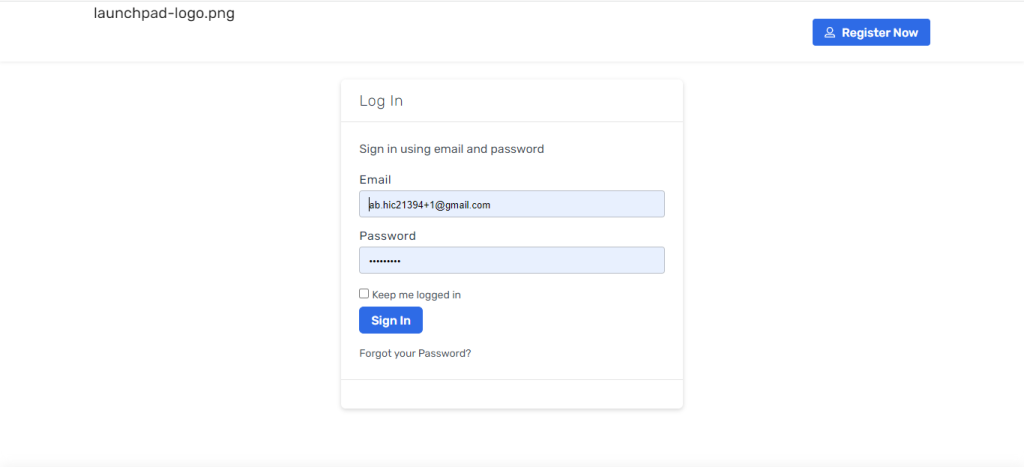
- After registration login to the channel partner module
- You will be prompted with a pop up to enter Kylas API key
- Enter the Kylas API key and save it
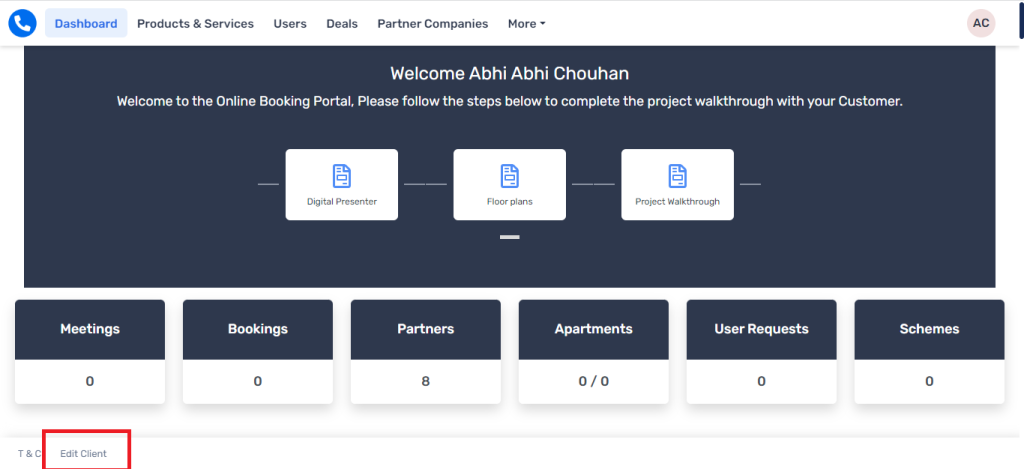
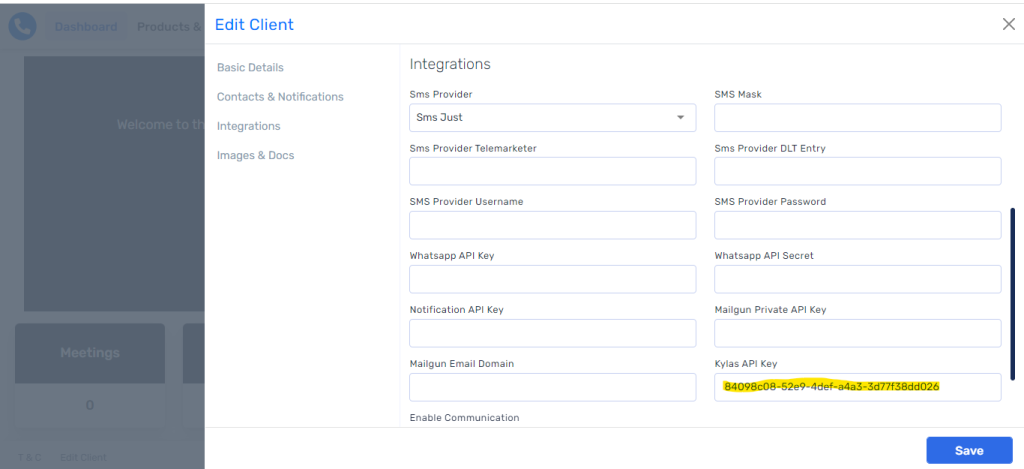
- Once you save the API key you can it under Edit client -> Integrations
Invite your partner Companies:
- Navigate to the ‘Users’ page
- Click ‘Add User’
- Click ‘Add Partner Company’
- Enter the required details and Save
Add Partner Users:
- Navigate to the ‘Users’ page
- Click ‘Add Users'
- Click ‘Add Partners’
- Choose the partner company under which you would like to add this partner
- Enter other required details
- Click Save
Share Leads with Partners:
After the complete setup you can share the Leads to the respective partners so that they can work on them
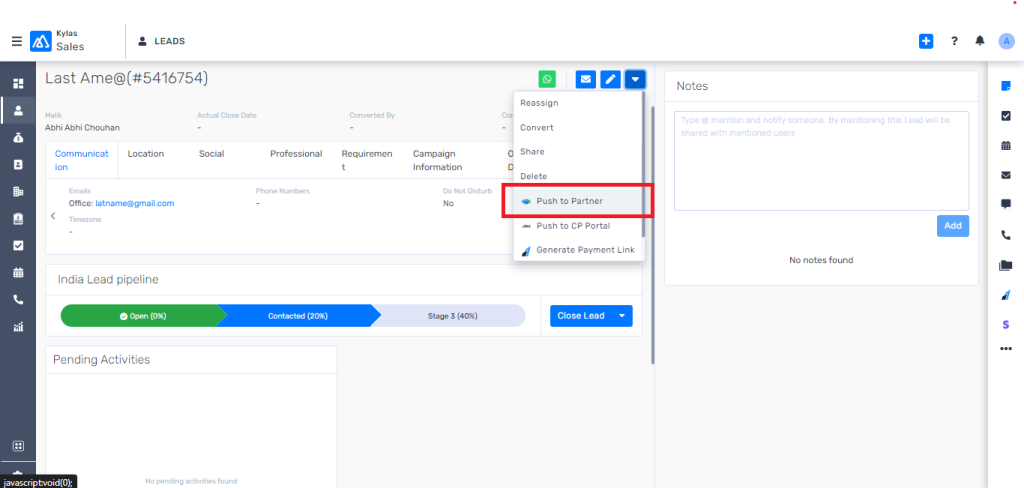
- Go to Kylas Lead details page of any specific Lead that you would like to share with a partner
- Click on the ‘More action’ button on the right-hand side as shown below
- Click ‘Push to Partner’
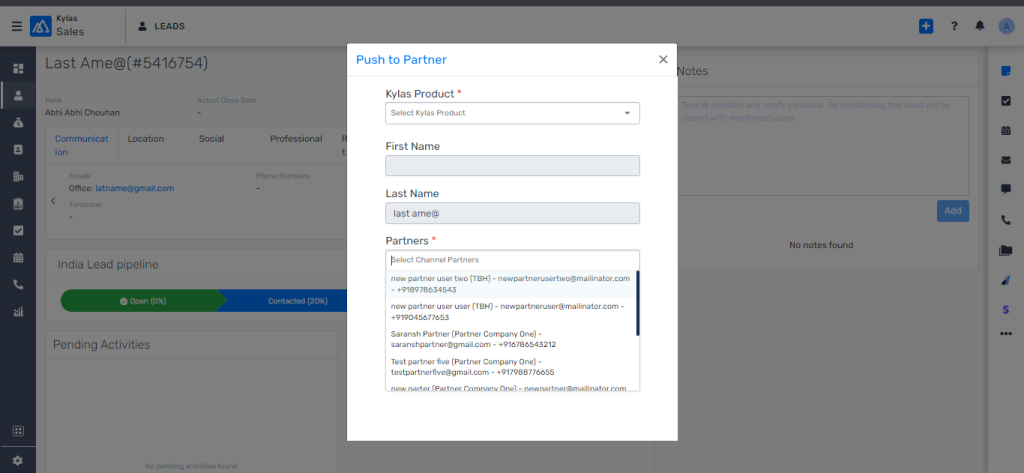
- Choose a product from the list and list of partners with whom you would like to share Leads with
- Click ‘Save’
- After you click ‘Save’ below set of activities happen
- The Lead will be shared with the partners you choose
- A Deal wrt each partner will be created in your Kylas account
- Name of the partner will be attached with the Deal and you can see the partner name under ‘Partner’ custom field
- You can create report or apply filter on this field to check the number of Deals available with each partner user
- The Partner can login to their own account and view the shared Lead under the ‘Deals’ section
- A Partner can also add notes on the Deal which will be displayed in your Kylas account as well.
- A Partner can also add a Deal in the system and that will be created in your Kylas account as well.
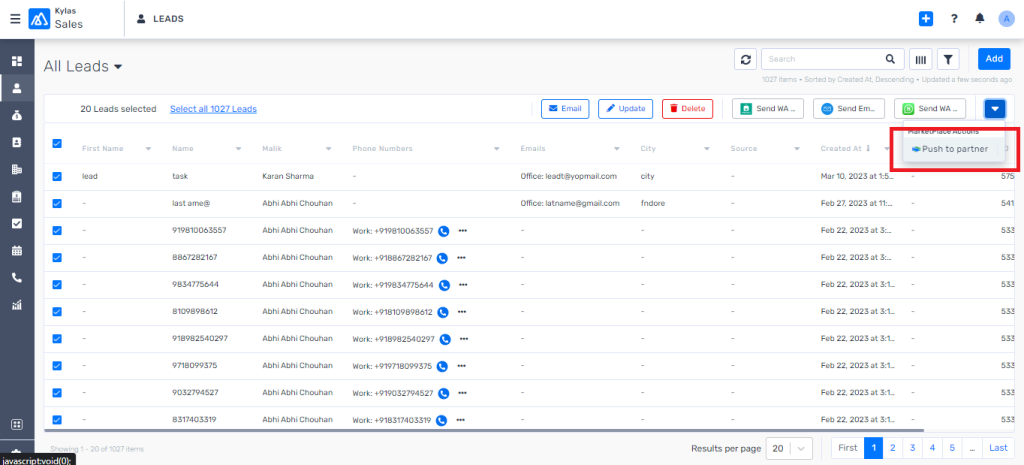
Push to partner in bulk:
You can push the Leads to partners in bulk by following below steps
- Navigate to Leads listing page
- Choose the Leads that you would like to share with partners
- Click on the action ‘Push to partner’ which is shown on the RHS of the page
- Choose the name of partners and click ‘Save’